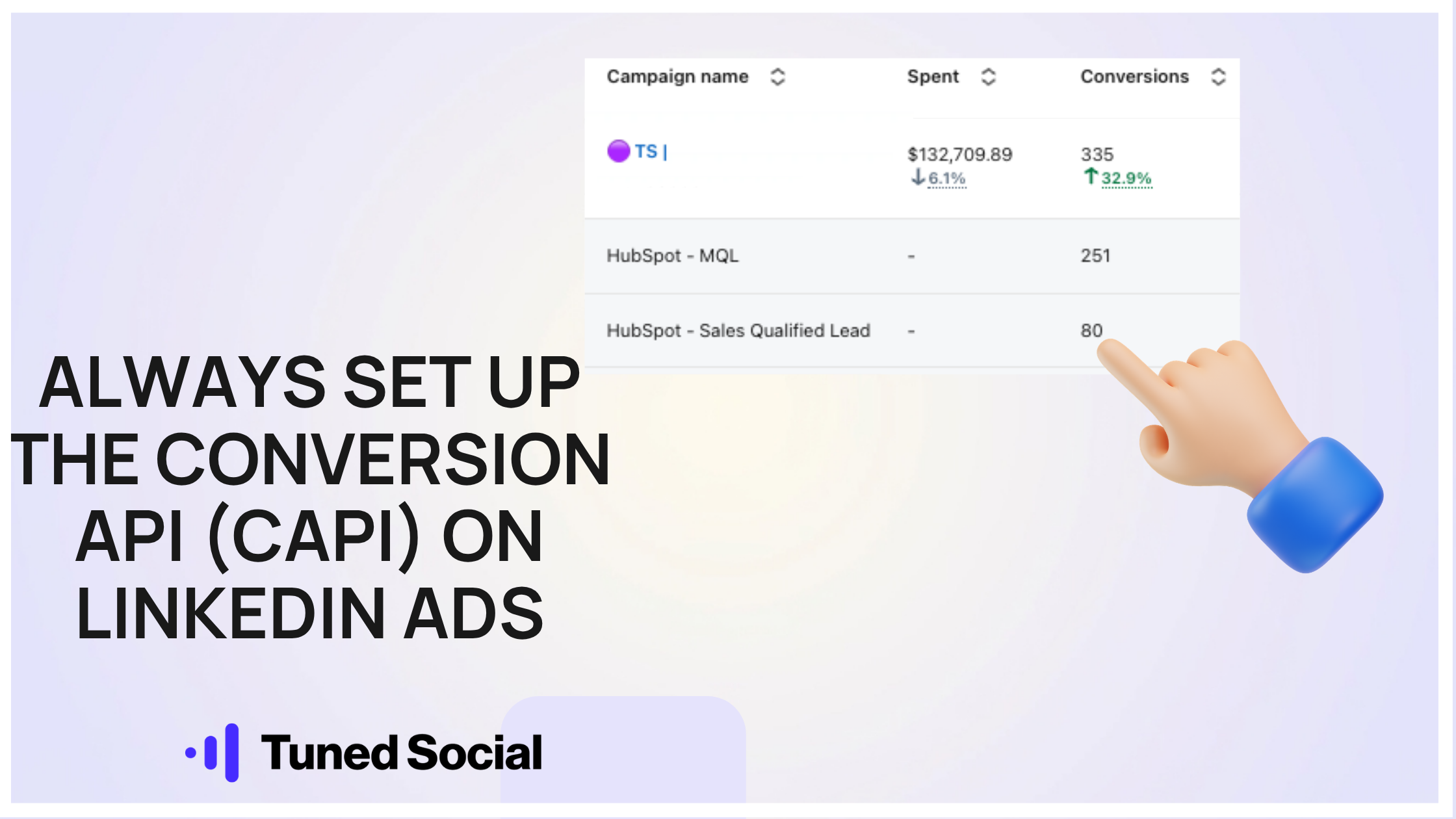
Always set up the Conversion API (CAPI) on LinkedIn Ads

Due to the nature of how LinkedIn works these days, we're relying less and less on website conversions.
The foundations of our web conversion setup still includes:
↳ Key-page views
↳ Homepage views
↳ Key-event actions
↳ Platform logins (for exclusion)
↳ + others (trials, subs etc.) depending on the company.
But honestly, these days, the conversions that provide the most value are the CAPI conversions.
With CAPI, your conversions will match on the campaign, ad set and ad level, and allow you to match lifecycle stages such as:
↳ CRM Lead
↳ Marketing Qualified Lead
↳ Sales Qualified Lead
↳ Opportunity
↳ Closed Deal
As LinkedIn has transformed into a demand creation engine, you're flying completely blind in-platform without it.
We're seeing Thought Leader Ads with low CTRs that would have been optimised away, but with CAPI, we are able to see they are driving numerous SQLs.
And completely outperforming most other formats.
This would not be possible to see without CAPI.
--
There are 4 main options for setting it up:
(1) Direct API: build a custom integration directly
(2) Direct CRM Integration: With HubSpot or Salesforce
(3) Middleware connection to CRM: through Zapier or Make
(4) Analytics platform integration: Dreamdata, Factors.ai, Supermetrics etc.
All take a little bit of setting up to begin with, but pay huge dividends as they allow you to make far more informed decisions.
--
The easiest by far is the direct HubSpot-LinkedIn CAPI integration.
If you’re using Hubspot + LinkedIn Ads, you REALLY should be using CAPI.
It doesn’t even need a video tutorial, just go to:
→ Hubspot → Marketing → Ads → Events → Create → Event
Then → Ad Network → LinkedIn
Map your lifecycle stages to a few conversions to start with (MQL/SQL/Opp), and then you're good to go.
It's as simple as that.
Your conversions will then push from HubSpot to LinkedIn CMT and be automatically added across all campaigns.
** Final tip: change the conversions in LinkedIn to 'last touch - last campaign' as this will give you much cleaner data than last touch - each campaign.
Your numbers are instantly skewed the minute you use 'each campaign'.
Happy tracking!